


Hunter.io in 2026: Still the Best Email Finder? Review and Pricing Guide

By Kushal Magar · March 16, 2026 · 13 min read · Last updated: September 30, 2026
Hunter.io is the OG email finder. Three million users, 76 million indexed websites, and a domain search tool that defined the category. It still does one thing well: finding business email addresses. Hunter has no phone numbers, no buying intent signals, and campaigns that cap out at basic cold email. Our rating: 3.5/5.
You are probably here because you want to know if Hunter.io is still worth paying for — or if something better has come along. We tested domain search, the email finder, the verifier, and Hunter Campaigns against real prospect lists. We also pulled 296 Trustpilot reviews and hundreds of G2 ratings to see where users actually get frustrated.
The short version: Hunter is fast, clean, and reliable for email lookups. The Chrome extension works. The API is well-documented. If all you need is verified email addresses for a handful of prospects per week, Hunter delivers.
The longer version: Hunter.io has a ceiling. It finds and verifies emails, but it has no phone data and no signals about whether a company is in market, and the campaign tool is basic enough that growing outbound teams tend to outgrow it.
This Hunter.io review covers what we found: domain search accuracy, email verification reliability, campaign limitations, real pricing math, how the credit system works, and what to pair Hunter with if you also need phone numbers or buying intent signals.
Hunter.io Review: What You Get (and What You Don't)
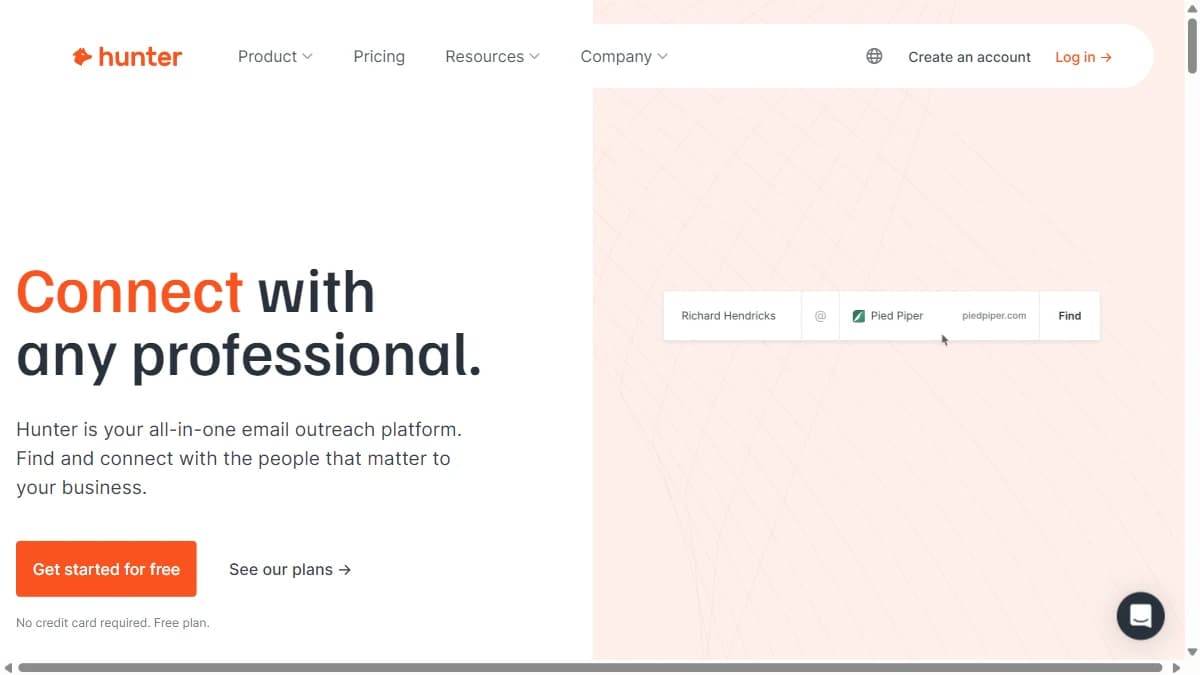
Hunter.io is an email finding and verification platform with a built-in cold email tool. The core value proposition is straightforward: type in a domain name, get a list of email addresses associated with that company. It is built for freelancers, recruiters, link builders, and sales reps who need quick access to business emails.
Hunter has been around since 2015 and has built a reputation on simplicity. The interface is minimal, the learning curve is close to zero, and the Chrome extension works on LinkedIn and company websites with one click. Here is what is actually included and where the gaps show up.
| Feature | What's Included | Limitations |
|---|---|---|
| Domain Search | Find all email addresses associated with a domain. Returns names, titles, and confidence scores. | Works best for large companies. Small businesses and startups often return zero or generic results (info@, support@). |
| Email Finder | Find a specific person's email using their name and company domain. Returns confidence score. | Often relies on pattern guessing (first.last@domain). A 60% confidence score is not a verification. |
| Email Verifier | Check if an email is deliverable. Supports single and bulk verification up to 10K rows. | Verification (0.5 credit) and search (1 credit) are billed separately. Bulk verification capped at 10K rows per upload. |
| Campaigns | Basic cold email tool. Create sequences, schedule sends, track opens and clicks. | Email only. No LinkedIn, no phone. Recipient limits per sequence (500-15,000 depending on plan). No A/B testing. |
| Chrome Extension | Find emails while browsing LinkedIn profiles or company websites. One-click lookup. | Individual lookups only. No bulk enrichment from the extension. |
| Phone Numbers | Not available. | Hunter is email-only. No mobile numbers, no direct dials. You need a separate tool for phone prospecting. |
Hunter.io Domain Search: How It Works
Domain Search is the feature Hunter built its name on. Enter a company domain — say, stripe.com — and Hunter returns every email address it has indexed for that domain. Each result includes the person's name, job title, email address, and a confidence score.
Hunter claims to index 76 million websites. In practice, that means excellent coverage for enterprise and large mid-market companies. If you are prospecting into Fortune 1000 accounts, Domain Search will return dozens of verified contacts per domain.
Where Domain Search falls short
The coverage drops for smaller companies. For startups with fewer than 50 employees, Domain Search frequently returns zero results or only generic addresses (info@, hello@, support@). This is a known limitation — Hunter's index relies on publicly available email addresses, and smaller companies simply have fewer exposed online.
Several Trustpilot reviewers report that over 50% of returned email addresses no longer work at the listed company. Email addresses get stale fast — people change jobs every 2-3 years on average — and Hunter's refresh rate does not always keep up.
For teams prospecting into SMBs or fast-moving industries, a multi-provider waterfall enrichment approach will usually find more contacts than Hunter's single-database model.
Email Finder and Verifier: Accuracy Under the Hood
The Email Finder takes a person's name and company domain and returns their most likely email address. Hunter combines its indexed data with pattern recognition — if a company uses first.last@domain, it will generate that pattern for new contacts even without a confirmed source.
This is where the confidence score matters. Hunter returns a percentage indicating how sure it is about the result. A 95% score usually means the email was found in a public source. A 60% score means Hunter is guessing based on the domain's email pattern. Sending cold emails to 60% confidence addresses is a fast path to spam folders and domain reputation damage.
Does Hunter.io verify emails accurately?
The Email Verifier is Hunter's strongest feature. It checks whether an email is deliverable by running SMTP verification, DNS lookups, and catch-all detection. For large-company domains, verification accuracy is high — users consistently report low bounce rates when sending only to verified addresses.
The catch: verification and search are separate credit operations. As of September 2026, finding an email costs one credit and verifying it costs half a credit. If you run a find-then-verify workflow (which you should), your effective cost rises by 50%: a 2,000-credit Starter plan covers roughly 1,333 fully verified contacts.
Bulk tasks: CSV uploads and limits
Hunter supports bulk email finding and verification via CSV upload. Upload a list of names and domains, and Hunter processes them in batches. The bulk verifier handles up to 10,000 rows per upload. This is adequate for most small teams but limiting for anyone running large-scale outbound campaigns.
Teams that want verification to run automatically inside a larger enrichment workflow, rather than as a separate CSV step, can compare the best CRM data enrichment tools.
Hunter Campaigns: Cold Email Built In (With Limits)
Hunter added Campaigns to move beyond data and into outreach execution. You can create email sequences with follow-ups, schedule sends, and track opens and clicks. The AI Writing Assistant helps generate personalized email drafts. It connects to your Gmail or Outlook account for sending.
For a freelancer sending 50 outreach emails per week, Campaigns is perfectly fine. The interface is clean, setup takes minutes, and the tracking dashboard shows the basics.
Why sales teams outgrow Hunter Campaigns
The limitations surface fast for teams doing real outbound. Campaigns is email-only — no LinkedIn touches, no phone call tasks, no multi-channel sequences. Recipient limits are tied to your plan: 500 per sequence on Free, 2,500 on Starter, 5,000 on Growth, and 15,000 on Scale.
There is no A/B testing for subject lines or email body variations. No lead scoring. No automatic follow-up logic based on engagement signals. No integration with your calendar for booking meetings directly from the sequence.
Campaigns also cannot trigger sequences from outside events. It sends on the schedule you set, to the list you uploaded. Teams that need multi-channel or event-triggered sequences will need a dedicated outreach tool alongside Hunter.
Hunter.io Pricing: What You Actually Pay
Hunter.io pricing is transparent — one of its genuine strengths. Plans are published on their pricing page with clear credit limits and feature breakdowns. No demo calls required. Here is what each tier includes.
- Free ($0/mo): 50 credits/month. 1 email account. 500 recipients per sequence. Basic Discover filters. Regular support. Good for testing, not for production use.
- Starter ($49/mo or $34/mo annually): 2,000 credits/month. 3 email accounts. 2,500 recipients per sequence. Auto-verification, lead enrichment, advanced filters, AI Writing Assistant, priority support. The entry point for most individuals.
- Growth ($149/mo or $104/mo annually): 10,000 credits/month. 10 email accounts. 5,000 recipients per sequence. Same features as Starter with higher limits. The sweet spot for small sales teams.
- Scale ($299/mo or $209/mo annually): 25,000 credits/month. 20 email accounts. 15,000 recipients per sequence. Account manager included. Highest self-serve tier.
- Enterprise (custom): Custom credits. Account manager included. Contact Hunter sales for pricing.
What a 2-SDR team actually pays
A 2-SDR team doing 100 contacts per week each needs to find and verify about 200 contacts a week. At 1 credit per email found and 0.5 credit per verification, that is 300 credits a week, or roughly 1,200 credits a month, which fits the Starter plan at $49/mo ($34/mo billed annually). Add campaigns to the mix and you are still within limits.
But scale to 5 SDRs doing 200 contacts per week each, and you need about 6,000 credits per month (find + verify). That pushes you to the Growth plan at $149/mo. And remember: Hunter only gives you emails, so phone numbers need a separate tool.
The hidden credit trap
Hunter's marketing states you will not be charged for duplicate or unknown results. Multiple Trustpilot reviewers dispute this, reporting credits consumed on queries that returned no usable email address. Whether this is a bug or a policy gap, the result is the same: your effective credit count may be lower than advertised.
What Are the Downsides of Using Hunter.io?
Hunter.io is a good tool with clear limits. Here are the trade-offs that show up in user reviews and our own testing.
- No phone numbers. Hunter finds emails only. If your team needs mobile numbers or direct dials, you need a separate provider.
- No buying intent signals. Hunter tells you who to email, not whether their company is in market, so timing has to come from another source.
- Credits consumed on unknown results. Users report being charged for queries that return no usable email, despite Hunter stating otherwise in their marketing.
- Data accuracy drops for small companies. Hunter works best for large organizations with clear email patterns. For startups and SMBs, it often returns generic addresses like info@ or support@.
- Campaign features are basic. Hunter Campaigns supports email only — no LinkedIn, no phone, no multi-channel sequences. Sending limits are tied to your plan tier.
- Single database limitation. Hunter relies on its own proprietary index of 76M+ websites. No waterfall across multiple providers means missed contacts that other tools would find.
Hunter.io billing complaints from real users
Billing is the most polarizing topic in Hunter.io reviews. The tool holds a 4.2/5 on Trustpilot across 296 reviews and 4.4/5 on G2, but negative reviews consistently cite credit-related frustrations. Users report being charged for queries that return unknown results, automatic subscription renewals without clear opt-out, and difficulty getting refunds for disputed charges. One reviewer described the credit system as "misleading" because the marketing implies you only pay for successful results.
On Capterra, the sentiment is more positive overall, but users note that Hunter's customer support relies heavily on chatbots with slow escalation to human agents. When billing issues arise, getting them resolved takes longer than expected.
The email-only ceiling
Hunter.io's most fundamental limitation is that it only finds emails. In 2026, B2B sales teams need phone numbers, LinkedIn data, and buying intent signals alongside email addresses. Hunter cannot provide any of these. Email finder alternatives like Snov.io, Findymail, and Anymailfinder offer broader feature sets. You may also need to bolt on separate tools for phone prospecting (Lusha, Cognism), intent data (Bombora, 6sense), and CRM enrichment (Clearbit), and those costs add up quickly next to a $49/month tool.
Platforms like Apollo.io bundle email finding, phone numbers, enrichment, and outreach into a single tool, which can replace several separate subscriptions.
How Hunter.io Credits Work (and How to Stretch Them)
Credits sit behind every data feature in Hunter, so the rules decide whether a plan lasts the month or runs dry in a week. As of September 2026, Hunter's pricing page sets them out like this:
- Finding costs 1 credit per email found. Domain Search, Email Finder, and Bulk Email Finder all charge per email returned. If no emails are found, no credits are used.
- Verifying costs 0.5 credit per email. Failed verifications are not counted.
- Repeats are counted once. The same search or verification is only counted once per billing period, so re-checking a list you already processed this month costs nothing extra.
- Allowances by plan: 50 credits on Free, 2,000 on Starter, 10,000 on Growth, and 25,000 on Scale each month, with custom allowances on Enterprise.
The math that matters is find-plus-verify. Because a verification costs half a credit, fully processing one contact costs 1.5 credits. Starter's 2,000 monthly credits therefore cover roughly 1,333 found-and-verified contacts, Growth covers about 6,666, and Scale about 16,666.
A few habits stretch credits further:
- Use Email Finder instead of a full Domain Search when you already know who you want, since every email a search returns is counted.
- Verify right before a campaign goes out rather than at import, so you only pay to verify addresses you actually send to.
- Run lists through the Bulk Email Finder and let the once-per-period rule protect you from paying twice for contacts that appear in more than one list that month.
- Pay annually once your volume is stable. Annual billing cuts the price by roughly 30%, bringing Starter from $49 to $34 a month.
Campaigns sit outside this math. Sending is limited by connected email accounts (1 on Free up to 20 on Scale) and recipients per sequence (500 up to 15,000) rather than credits, so a team that mostly needs sending capacity can outgrow its plan's account limit before it runs out of credits.
Is Hunter.io Worth It?
Hunter.io is worth it if you are a freelancer, recruiter, link builder, or solo SDR who needs a fast, no-setup way to find business email addresses. The free plan is generous enough for light use. The Starter plan at $34-$49/mo covers moderate prospecting. For teams evaluating email verification options, tools like Clearout specialize in deliverability. The Chrome extension is the best in its class for one-click email lookups. And the verification tool genuinely reduces bounce rates. For a full comparison, see our guide to the best sales prospecting tools for B2B teams.
Hunter.io is not worth it as the backbone of a scalable outbound operation. Once you need phone numbers, buying intent signals, automated CRM enrichment, or multi-channel outreach, Hunter becomes one tool in a larger stack, and you pay for and integrate the tools it cannot replace.
Our verdict: Hunter.io is the best simple email finder on the market, with transparent pricing, fair credit rules on paper, and a genuinely useful verifier. If email addresses are what you need, start on the free plan and move to Starter once you know your monthly find-and-verify volume.
If Hunter.io's email-only data is a dealbreaker, SyncGTM is one alternative worth a look: it runs waterfall enrichment across 50+ data providers for verified emails, phone numbers, and firmographics.