Enrichments MCP is now live for all plans. Try it out today

Give your AI agents access to premium B2B data — from the command line

SyncGTM CLI connects your terminal, scripts, and AI agents to 75+ enrichment and signal actions. Enrich companies, find verified contacts, and detect buying signals — all as structured JSON. Install in 60 seconds. Free credits included.

Works with your favorite AI tools

Connect SyncGTM enrichment actions to any MCP-compatible AI tool.

Claude
OpenAI
Gemini
Cursor
Windsurf
Manus
Make
Zapier
n8n
Gumloop
Cline
Zen
Codeium
Replit
Ollama
Kimi
Qwen
DeepSeek
Perplexity
Run waterfall enrichment from the command line
Waterfall Enrichment CLI

One CLI command. 20+ data providers. Maximum match rates.

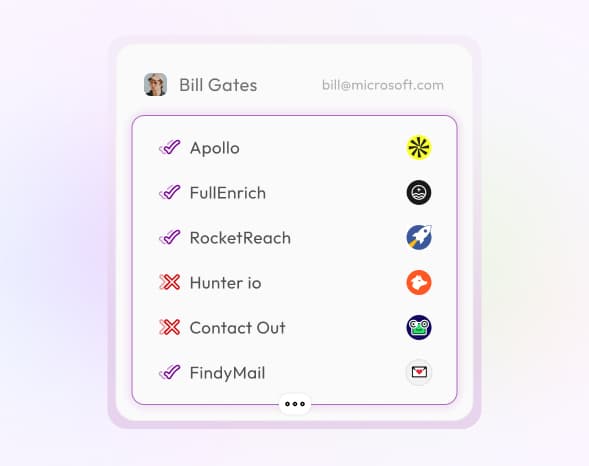
Trigger waterfall enrichment across 20+ premium providers with a single command. Each request cascades through Apollo, RocketReach, FullEnrich, and more — returning firmographics, techstack, funding, revenue, and 25+ data points as structured JSON. Pipe the output directly into your agent framework, CRM sync script, or data pipeline. Install free in 60 seconds.
  • Get firmographics, techstack, and funding data
  • Find competitors and customer lists
  • Monitor hiring, news, and revenue signals
  • Pull social profiles, domain details, and traffic data
Access premium B2B data sources via CLI
Beyond the Open Web

Your AI agents cannot scrape LinkedIn or pull verified emails — this CLI can

AI agents are limited to publicly accessible pages. They cannot query LinkedIn APIs, pull verified email databases, or access gated intent providers. The SyncGTM CLI bridges that gap — one command gives your scripts and agent pipelines access to premium data no amount of web scraping could surface. Verified work emails, direct dials, LinkedIn profiles, and gated company intelligence — all as structured JSON.

  • Scrape LinkedIn posts, profiles, and company pages
  • Pull verified work emails and direct phone numbers
  • Access website traffic and technographic data
  • Enrich contacts with job history, social profiles, and more
Research & Signals

Detect buying signals from your terminal — and act before competitors

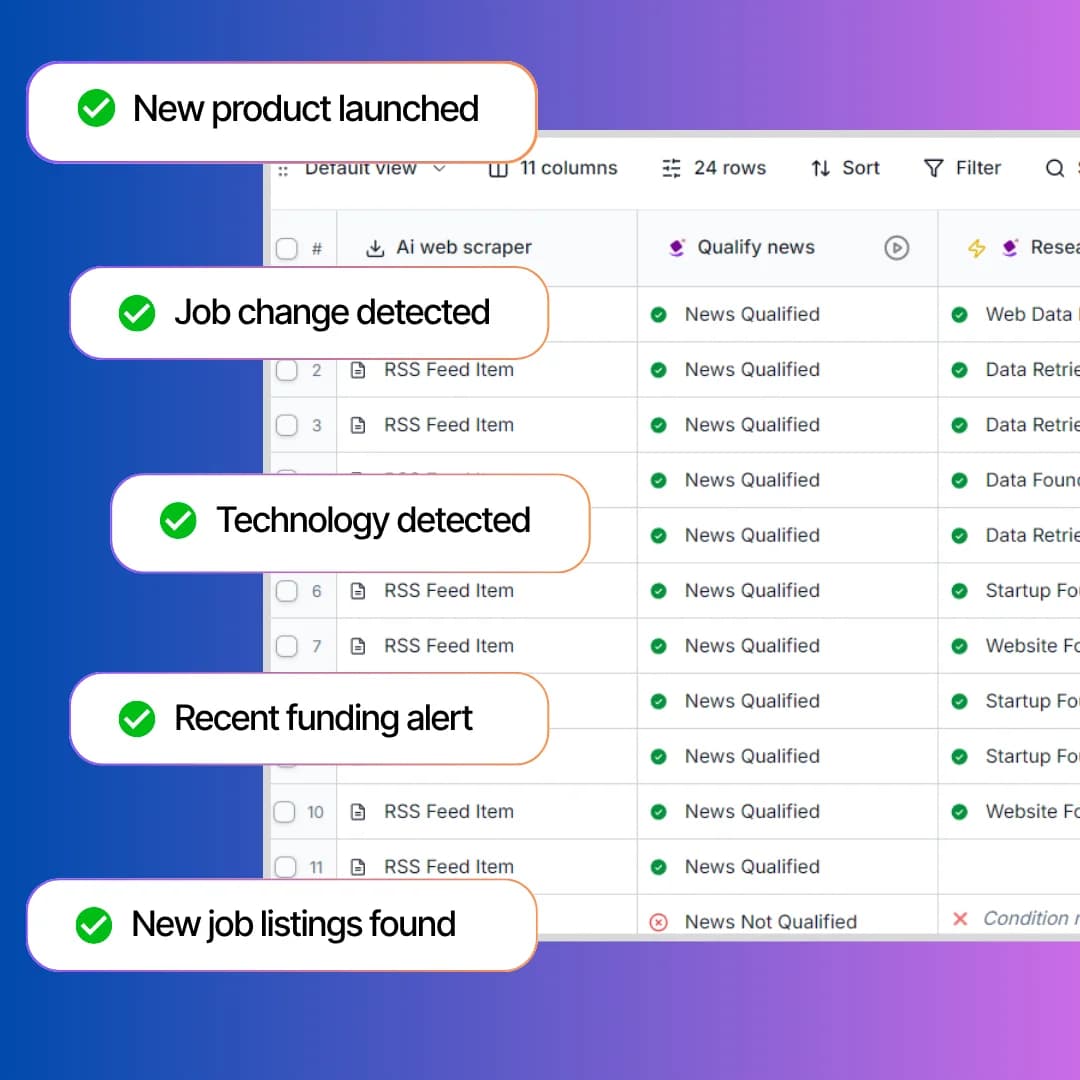
Track funding rounds, job changes, tech adoption, and 17+ other buying signals without leaving your terminal. Your script or agent calls SyncGTM's signal actions on demand — scoring leads, scraping websites, and surfacing intent data in real time. Combine live signal detection with your AI agent's reasoning to prioritize the right accounts at the right time.

  • Score and rank leads by ICP fit and intent
  • Scrape websites and extract structured data with AI
  • Monitor Meta ads and YouTube content
  • Detect 17+ buying signals across companies and contacts
Overview

What is the Go-To-Market CLI?

The SyncGTM Go-To-Market CLI gives your terminal, scripts, and AI agents access to 75+ enrichment and research actions — so you can enrich leads, detect buying signals, and power your Go-To-Market pipeline from the command line.

How SyncGTM Go-To-Market CLI works

SyncGTM Go-To-Market CLI is a command-line tool that connects your terminal, scripts, and AI agents to 75+ enrichment, signal detection, and research actions. Instead of switching between dashboards and browser tabs, run a single command to enrich company records, find verified contact details, and detect buying signals like funding rounds, hiring surges, and tech adoption in real time. Every action uses waterfall enrichment across 20+ premium data providers to maximize match rates and data accuracy. Output is structured JSON — ready to pipe into your CRM, agent framework, or data pipeline.

Who is it for?

  • Developers building AI agents that need real-time company and contact data
  • Go-To-Market engineers scripting enrichment pipelines from the terminal
  • RevOps teams automating lead scoring and qualification in CI/CD or cron jobs
  • SDRs using AI agent frameworks like LangChain, CrewAI, and AutoGen for outbound
  • Growth teams detecting buying signals programmatically in their data pipelines

Get started in 3 steps

01

Install the SyncGTM CLI and authenticate with your API key from your workspace settings.

02

Run your first enrichment command from the terminal — enrich a company, find contacts, or detect signals.

03

Pipe structured JSON results into your scripts, agent frameworks, CRM, or data pipelines.

75+ CLI Actions

Enrichments Available via SyncGTM Go-To-Market CLI

Every enrichment, signal, and research action below is callable from your terminal or AI agent via the SyncGTM Go-To-Market CLI.

Find Work Email

Find a person's verified work email address using name and company data.

Find Personal Email

Find a person's personal email address from public data sources.

Find Work Phone

Find a person's direct work phone number using professional data sources.

Find Mobile Number

Find a person's mobile phone number from public and professional data.

Enrich Organization

Get a full company profile including industry, size, location, and firmographic data from a domain or name.

Enrich Person

Get a full person profile including current role, company, location, and social links.

Person LinkedIn Profile

Find the LinkedIn profile URL for a person using their name and company.

Find LinkedIn Profile URL

Find the full LinkedIn profile URL for a person from their name and company.

Enrich/Scrape LinkedIn Profile

Scrape and enrich any LinkedIn profile to get full details including headline, summary, experience, skills, and certifications.

Scrape LinkedIn Profile Posts

Scrape recent LinkedIn posts published by a person's profile.

Score LinkedIn Engagement

Checks if a prospect has posted or engaged with posts on certain topics. Ideal for identifying active buyers, personalizing outreach, and scoring leads based on real-time social activity.

Find Company LinkedIn Page

Find the official LinkedIn company page URL for any organization.

Enrich/Scrape LinkedIn Page

Find and enrich any LinkedIn company page to get follower count, specialties, industry, company size, and recent updates.

Company TechStack

Identify the technologies and tools a company uses across their website and infrastructure.

Company Domain

Resolve a company's primary website domain from a name or LinkedIn URL.

Headcount Growth

Detect when a company increases employee headcount. Ideal for scoring growth stage accounts.

Leadership Change

Detect when a company hires or replaces senior leaders like CMO CRO VP Sales or RevOps.

Scrape Company LinkedIn Posts

Scrape recent LinkedIn posts published by a company page.

Scrape Employees From LinkedIn Page

Find employee profiles from a company's LinkedIn page to build targeted contact lists.

Find Meta Ads From Page ID

Find active Meta (Facebook/Instagram) ads running from a specific page ID.

Find Meta Ads Using Search Terms

Find the Meta Ad Library for ads matching specific keywords or topics.

Reverse Phone Lookup

Look up the owner and details associated with a phone number.

Recent Acquisitions

Find recent acquisitions made by a company to understand strategic direction and expansion moves.

Mergers and Acquisitions

Detect company M&A events. Ideal for outreach when organizations are restructuring.

New Location

Detect when a company opens a new office or expands internationally.

Revenue Growth

Detect companies showing estimated revenue growth from external data. Ideal for prioritizing momentum accounts.

New Blog Posted

Detect when a company publishes a new blog. Ideal for content monitoring and warm personalization.

New Product Launched

Detect when a company launches a new product. Perfect for understanding strategic moves.

Job Change

Detect if a person has changed jobs in the last 3 months using public data and LinkedIn activity. Ideal for triggering timely outreach, re-engaging old leads, or identifying warm prospects during career transitions.

Is Hiring

Detect if a company is actively hiring across sales, marketing, engineering, or operations. Ideal for finding companies in growth mode.

Techstack Change

Detect when a company starts or stops using specific technologies. Ideal for scoring and qualifying leads.

Mentioned Recently on News

Detect when a company or keyword appears in news sources. Ideal for personalizing outreach with timely updates.

Raised Funding Recently

Detect companies that have raised funding across different rounds. Ideal for prioritizing fast growing accounts.

Recently Promoted

Detect when a prospect or contact has recently been promoted.

Website Traffic Growth

Detect spikes in website traffic using external traffic data.

Company Founded Date

Look up when a company was founded to gauge maturity and stage.

Company Revenue

Estimate a company's annual revenue range using public and third-party data sources.

Company Total Funding

Look up the total amount of funding a company has raised across all rounds.

Company Latest Funding

Get details on a company's most recent funding round including amount, date, and investors.

Company Instagram

Find the official Instagram profile URL for a company.

Company Total Employees

Get the estimated total employee count for a company from public data.

Company GitHub

Find the official GitHub organization profile for a company.

Company X (Twitter)

Find the official X (Twitter) profile URL for a company.

Company Address

Look up the headquarters street address for a company.

Company Country

Identify the country where a company is headquartered.

Company Post Code

Get the postal or ZIP code for a company's headquarters location.

Company Website Traffic

Estimate monthly website visits and traffic trends for a company's domain.

Find Number Of Business Locations

Find how many office or business locations a company operates worldwide.

Find Domain Details

Find WHOIS and registration details for a company's domain including age and registrar.

Domain Threat Detection

Check if a domain is flagged for malware, phishing, or other security threats.

Reverse IP Lookup

Find all domains hosted on the same IP address as a company's website.

Scrape Page LinkedIn Posts

Find recent LinkedIn posts published by a company page to monitor content and engagement.

Find People Within Company

Find people working at a specific company by role, seniority, or department.

Current Role

Look up a person's current job title and company from their LinkedIn profile.

Past Role

Retrieve a person's previous job titles and companies from their work history.

Person Twitter Profile

Find a person's X (Twitter) profile URL from public data.

Person Location

Look up a person's current city and country from their professional profile.

Person Github Profile

Find a person's GitHub profile URL using their name or email.

Job Start Date

Find when a person started their current role to gauge tenure and timing.

Scrape Profile LinkedIn Posts

Find recent LinkedIn posts published by a person to understand their interests and activity.

Find B2B Customers

Find acompany's B2B customers from public sources like case studies and reviews.

Find Pricing Plans

Find pricing plan details from a company's website including tiers, features, and costs.

Find YouTube Transcript

Find the full text transcript from any YouTube video URL.

Find YouTube Video URLs

Collect video URLs from a YouTube channel or playlist.

Find YouTube Videos By Channels

Retrieve recent videos published by specific YouTube channels.

Find YouTube Videos By Query

Search YouTube and retrieve video results matching a keyword or topic.

WhatsApp Number Validator

Check if a phone number is registered on WhatsApp.

Find Yelp Business Details

Find business details, reviews, and ratings from Yelp for any local business.

Find LinkedIn from Work Email

Resolve a person's LinkedIn profile URL from their verified work email address.

Find LinkedIn from Personal Email

Resolve a person's LinkedIn profile URL from their personal email address.

Find Email from LinkedIn URL

Find a person's verified email address from their LinkedIn profile URL.

Find Email from Phone

Resolve a person's email address from a phone number using reverse lookup providers.

Find Phone from Email

Resolve a person's phone number from their email address using reverse lookup providers.

Find Phone from LinkedIn

Find a person's phone number from their LinkedIn profile URL.

Company Job Listings

Find active job listings for any company from public job boards and career pages.

Company TikTok

Find the official TikTok profile URL for a company.

Frequently Asked Questions

What is SyncGTM Go-To-Market CLI?

How do I install and set up the CLI?

What enrichment actions are available via CLI?

Is it free to get started?

Can I bring my own API keys?

What AI agent frameworks work with the CLI?

How is this different from the SyncGTM web app or MCP?

What data sources power the enrichments?

Is my data secure?

What output formats does the CLI support?

Question not answered above? Contact us here

Ready to enrich from your terminal?

Install the SyncGTM CLI and start enriching in minutes. Free to start.