
By Kushal Magar · April 3, 2026 · 16 min read
11 Best LinkedIn Outreach Tools in 2026 (Features Compared)
The best LinkedIn outreach tools in 2026 go far beyond connection requests. They orchestrate email, phone, and LinkedIn from one sequence builder. They personalize with AI. They sync with your CRM. They give managers real-time dashboards across the whole team. We compared 11 platforms on the features that actually move pipeline.
LinkedIn outreach tools have split into three capability tiers. Enterprise-grade platforms like Lemlist and Skylead combine LinkedIn, email, and phone with conditional logic and CRM sync. Mid-market tools like Expandi and HeyReach offer deep LinkedIn automation with webhook integrations. And SMB tools like Waalaxy and Octopus CRM deliver basic LinkedIn automation at budget prices.
We tested 11 LinkedIn outreach tools across four feature dimensions: multichannel capability (how many channels beyond LinkedIn), personalization depth (AI, images, dynamic variables), analytics and reporting (dashboards, A/B testing, attribution), and team features (permissions, shared inboxes, manager oversight). This guide maps each tool to the feature tier it actually belongs in.
Quick Summary
Eleven LinkedIn outreach tools mapped to three capability tiers. Enterprise: Lemlist (3-channel orchestration), Skylead (conditional logic), and Expandi (deepest LinkedIn features). Mid-market: HeyReach (multi-account), SalesRobot (AI messaging), and Dripify (visual builder). SMB: Waalaxy (budget multichannel), Octopus CRM ($10/mo), and LinkedHelper (desktop CRM).
TL;DR
- Lemlist ($99/user/mo) — #1 PICK: only platform orchestrating LinkedIn + email + phone from a single sequence builder with native CRM sync
- Expandi ($99/mo) — Deepest LinkedIn-specific feature set with image/GIF personalization and webhook integrations
- Skylead ($100/mo) — Most advanced conditional if/then sequence logic across LinkedIn and email
- HeyReach ($79/mo) — Best multi-account management with unified inbox and sender rotation
- Waalaxy ($43/mo) — Best budget multichannel combining LinkedIn + email with a free tier
- Dripify ($59/mo) — Most intuitive visual campaign builder with team management dashboards
- SalesRobot ($99/mo) — Strongest AI message generation with smart reply classification
- Octopus CRM ($10/mo) — Cheapest LinkedIn automation with built-in CRM for individuals
- LinkedHelper ($15/mo) — Desktop-based with built-in CRM and InMail automation
- MeetAlfred ($59/mo) — Only tool adding Twitter/X as a third outreach channel alongside LinkedIn + email
- Salesflow ($99/mo) — White-label agency reporting with dedicated customer success onboarding
What We Evaluated
- Multichannel capability — number of outreach channels (LinkedIn, email, phone, Twitter) orchestrated from one sequence
- Personalization depth — AI-generated messages, image/video/GIF personalization, dynamic variables, and prospect research
- Analytics and reporting — campaign dashboards, A/B testing, conversion tracking, and exportable reports
- Team features — role-based permissions, shared inboxes, manager dashboards, and campaign templates
- CRM integration — native connectors to Salesforce, HubSpot, Pipedrive vs. webhook-only vs. no integration
1. Lemlist — Most feature-rich multichannel platform combining LinkedIn, email, and phone with native CRM sync
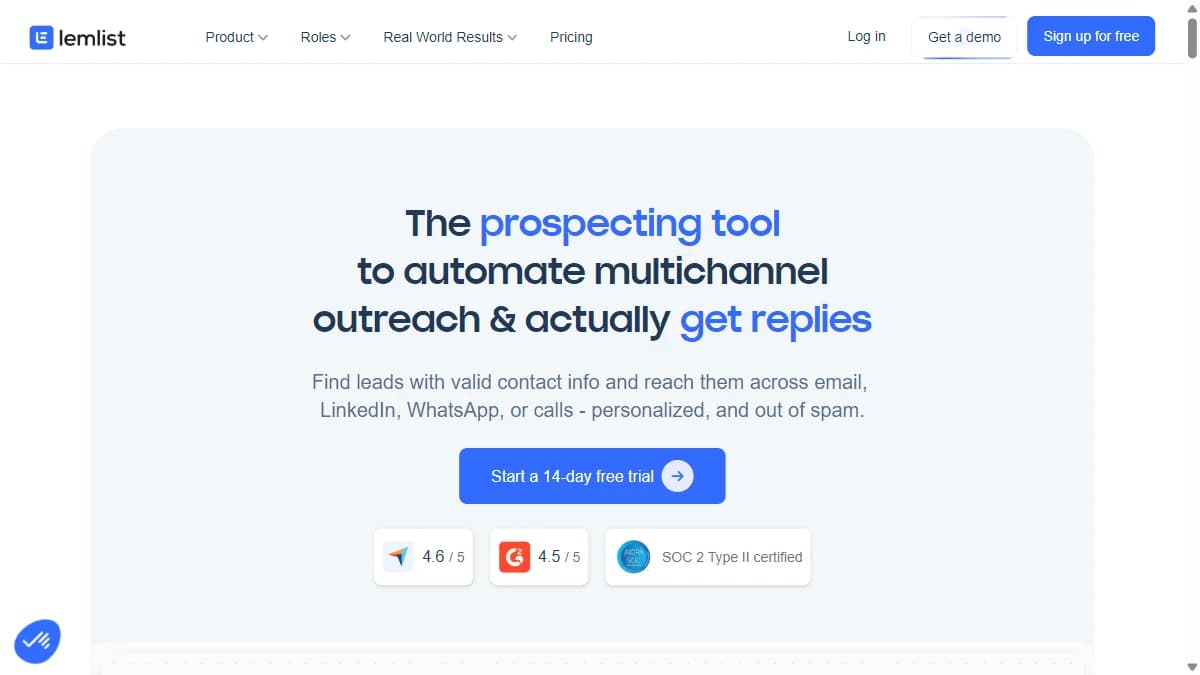
Lemlist — Most feature-rich multichannel platform combining LinkedIn, email, and phone with native CRM sync
Lemlist is the only LinkedIn outreach tool that truly orchestrates three channels — LinkedIn, email, and phone — from a single sequence builder. This is not three separate tools stitched together. One campaign can start with a LinkedIn profile visit on Day 1, send a connection request on Day 2, follow up with a personalized email on Day 4, add a phone call task on Day 7, and branch conditionally based on which channel the prospect engaged with.
The feature depth goes beyond channel count. Lemlist's AI personalizes emails with prospect-specific ice breakers. Image and video personalization inserts custom visuals with dynamic variables into LinkedIn messages. The email engine handles deliverability, domain warmup, inbox rotation, and bounce management — features that dedicated email tools like Instantly offer, but built into one platform. A/B testing compares subject lines, message copy, and send times across all channels simultaneously.
Native CRM integration pushes all LinkedIn, email, and call activity to HubSpot and Salesforce automatically. For managers, the unified analytics dashboard shows conversion rates by channel, sequence step, and rep — making it clear which channels and messages drive meetings. At $99/user/mo for Multichannel Expert, Lemlist replaces three separate subscriptions. The per-user model is the constraint for teams of 15+ reps where per-account tools like Expandi offer better unit economics. For teams under 15 that want maximum feature density in one platform, Lemlist is the most capable option available.
Pros
- +Multichannel sequences (email + LinkedIn + calling)
- +Image and video personalization
- +Built-in deliverability tools
- +Strong LinkedIn automation
Cons
- −Per-user pricing gets expensive
- −No built-in contact database
- −Learning curve for advanced features
- −Limited reporting compared to enterprise tools
Best for: Most feature-rich multichannel platform combining LinkedIn, email, and phone with native CRM sync
Pricing: Email Pro $69/user/mo. Multichannel Expert $99/user/mo. Annual billing saves 20%.
2. Expandi — Deepest LinkedIn-specific feature set with image personalization and webhook integrations

Expandi — Deepest LinkedIn-specific feature set with image personalization and webhook integrations
Expandi has the deepest feature set for LinkedIn-specific outreach. Smart sequences chain connection requests, profile visits, InMail, endorsements, post likes, and multi-step message campaigns into sophisticated flows. Image and GIF personalization embed dynamic visuals in LinkedIn messages — prospect name on a whiteboard, company logo on a coffee mug, custom GIFs — which lift response rates 2-3x above plain text.
Webhook integrations connect Expandi to HubSpot, Salesforce, Pipedrive, Slack, and any tool with an API via Zapier. When a prospect accepts a connection, Expandi can push the event to your CRM, trigger an email sequence in another platform, and notify a Slack channel. Campaign analytics track acceptance rates, response rates, and A/B test results across message variants with exportable reports.
The feature gap is channels. Expandi is LinkedIn-only — no built-in email or phone. For teams that want maximum LinkedIn features and integrate their own email stack, Expandi is the power tool. For teams that want everything in one place, Lemlist offers more channels. Pair Expandi with SyncGTM for enrichment (verified emails, phone numbers, buying signals) and a separate email platform for true multichannel orchestration.
Pros
- +Deepest LinkedIn feature set — smart sequences, endorsements, post engagement, InMail
- +Image and GIF personalization with dynamic variables for 2-3x response lift
- +Webhook integrations to CRM, email, Slack, and custom workflows
- +Dedicated IP per account with human-like behavior patterns
Cons
- −LinkedIn-only — no email or phone channels built in
- −$99/mo per account — requires separate email/phone subscriptions
- −Advanced features require setup time and learning curve
- −Analytics exportable but not as visual as Lemlist's unified dashboard
Best for: Deepest LinkedIn-specific feature set with image personalization and webhook integrations
Pricing: Business $99/mo per account. Agency pricing available for 10+ accounts.
3. Skylead — Most advanced conditional sequence logic for teams running multi-step LinkedIn + email campaigns

Skylead — Most advanced conditional sequence logic for teams running multi-step LinkedIn + email campaigns
Skylead has the most sophisticated sequence builder of any LinkedIn outreach tool. If/then conditional branching creates campaigns that adapt dynamically: if a prospect is already a 1st-degree connection, skip the connection request and message directly. If they opened your email but did not reply after 3 days, send a LinkedIn follow-up. If they visited your profile, escalate to InMail. This logic-tree approach outperforms every linear sequence tool on conversion rates.
The platform unifies LinkedIn and email into one campaign with email discovery and built-in warm-up. Image personalization inserts prospect names and company logos into visual messages. A/B testing compares message variants across both LinkedIn and email channels simultaneously, with automated winner selection. The visual sequence builder shows the complete decision tree so you can trace every prospect's path through the campaign.
At $100/mo per account, Skylead is a power-user tool. The conditional logic requires more setup time than drag-and-drop builders like Dripify. No phone channel is built in. For sales teams running complex, multi-step campaigns where prospect behavior should dictate the next touchpoint, Skylead's branching logic is the most advanced available. Feed it SyncGTM-enriched data so your conditional branches can trigger on firmographic signals, not just engagement behavior.
Pros
- +Most advanced if/then conditional sequence builder with visual logic tree
- +Unified LinkedIn + email campaigns with email discovery and warm-up
- +A/B testing with automated winner selection across both channels
- +Image personalization with dynamic prospect and company variables
Cons
- −$100/mo per account — premium for a two-channel tool
- −Complex setup — not suited for quick-launch teams
- −No phone channel built in
- −Shared cloud infrastructure without dedicated IPs
Best for: Most advanced conditional sequence logic for teams running multi-step LinkedIn + email campaigns
Pricing: All-in-One $100/mo per LinkedIn account.
4. HeyReach — Best multi-account LinkedIn management for agencies and multi-rep teams

HeyReach — Best multi-account LinkedIn management for agencies and multi-rep teams
HeyReach is built around multi-account management — the feature most LinkedIn tools treat as an afterthought. Automatic sender rotation distributes outreach across multiple LinkedIn accounts, and the unified inbox aggregates conversations from all accounts into one interface. For teams where 3-5 reps run LinkedIn outreach, or agencies managing 10+ client accounts, HeyReach is the operational control center.
Agency features are the standout: client workspace separation keeps campaigns and data isolated, white-label reporting presents results under your brand, team permission management controls who sees what, and campaign templates let you replicate proven sequences across clients in minutes. A/B testing across message variants and smart sequences round out the feature set.
At $79/mo per sender, HeyReach is affordable per account but the value compounds with scale. A single sender gets basic LinkedIn automation without standout features. Five or more senders get rotation, unified inbox, and agency-grade management. For agencies and multi-rep teams, HeyReach's management features are unmatched. Enrich prospect lists via SyncGTM before distributing across sender accounts — consistent data quality across all accounts keeps messaging uniform.
Pros
- +Best multi-account management with automatic sender rotation
- +Unified inbox aggregates all account conversations in one view
- +Agency workspace separation with white-label reporting
- +Campaign templates for rapid cross-client deployment
Cons
- −Single-account feature set is basic compared to Expandi
- −No email or phone channels
- −Per-sender pricing means costs scale linearly with accounts
- −Personalization options limited compared to image/GIF tools
Best for: Best multi-account LinkedIn management for agencies and multi-rep teams
Pricing: Starter $79/mo per sender. Agency pricing for volume.
5. Waalaxy — Most affordable LinkedIn + email multichannel for solo founders and small teams

Waalaxy — Most affordable LinkedIn + email multichannel for solo founders and small teams
Waalaxy packs LinkedIn + email multichannel into the most affordable package available. The free plan includes 80 LinkedIn invitations per month. The Advanced plan at $43/mo adds unlimited email sequences, a built-in email finder, and pre-built sequence templates. No other tool delivers two-channel outreach at this price.
The feature set is intentionally simple. Sequences are linear — no if/then branching like Skylead. Personalization is text-based — no image or video customization like Expandi. Analytics show basic acceptance and response rates — no channel-level attribution like Lemlist. The template library includes pre-built sequences for SaaS demos, agency intros, and partnership outreach, so you can launch a campaign in under 10 minutes.
Waalaxy targets solo founders, freelancers, and small teams that want LinkedIn + email running without enterprise complexity or enterprise pricing. It is the right starting tool. As campaigns mature and need branching logic, image personalization, or CRM integration, upgrade to Lemlist or Expandi. For now, pair Waalaxy with SyncGTM-enriched prospect lists to get better personalization data than Waalaxy's basic text variables can generate on their own.
Pros
- +Cheapest LinkedIn + email multichannel at $43/mo with free tier
- +10-minute campaign setup with pre-built templates
- +Built-in email finder for prospect email discovery
- +Simple enough for non-technical solo founders
Cons
- −Linear sequences only — no conditional branching
- −Text-only personalization — no image, video, or GIF support
- −Basic analytics without channel attribution
- −Browser-based with higher detection risk than cloud tools
Best for: Most affordable LinkedIn + email multichannel for solo founders and small teams
Pricing: Free (80 invitations/mo). Advanced $43/mo. Business $66/mo.
6. Dripify — Most user-friendly LinkedIn campaign builder with team management dashboards

Dripify — Most user-friendly LinkedIn campaign builder with team management dashboards
Dripify wins on one feature dimension: usability. The drag-and-drop visual campaign builder is the most intuitive interface of any LinkedIn outreach tool. You see the complete campaign timeline — connection request, 3-day delay, message, profile visit, follow-up — as a visual flow. Non-technical reps create campaigns in minutes without documentation or training.
Team management features give managers operational control: create campaign templates, assign them to reps, monitor performance across the team from one dashboard, and export analytics reports. Cloud-based execution, A/B testing on the Pro plan, and activity randomization round out the mid-tier feature set. Smart scheduling runs campaigns during your prospect's business hours.
At $59/mo for Basic and $79/mo for Pro (A/B testing), Dripify sits between Waalaxy's budget tier and Expandi's power tier. The feature tradeoff is sophistication — no conditional branching, no image personalization, no multichannel. Dripify is LinkedIn-only with straight-line sequences. For sales managers who need fast team adoption with visual oversight, Dripify's builder and dashboards deliver the smoothest rollout experience. Combine with SyncGTM for enrichment and a separate email tool for multichannel.
Pros
- +Most intuitive drag-and-drop visual campaign builder
- +Team management with campaign templates, rep assignment, and performance dashboards
- +Cloud-based with smart scheduling during prospect business hours
- +A/B testing on Pro plan for message optimization
Cons
- −LinkedIn-only — no email or phone channels
- −Linear sequences only — no conditional branching
- −No image or video personalization
- −Per-account pricing with no team discount
Best for: Most user-friendly LinkedIn campaign builder with team management dashboards
Pricing: Basic $59/mo. Pro $79/mo. Advanced $99/mo.
7. SalesRobot — AI-first LinkedIn outreach with automated message generation and smart reply routing

SalesRobot — AI-first LinkedIn outreach with automated message generation and smart reply routing
SalesRobot has the strongest AI messaging engine of any LinkedIn outreach tool. The AI analyzes each prospect's LinkedIn profile, company page, recent posts, and job history to generate a unique connection request and follow-up sequence. This is not "Hi {firstName}" templating — SalesRobot writes genuinely different messages for each prospect, referencing specific career moves, company milestones, or shared connections.
Smart reply detection is the second standout feature. When a prospect responds, SalesRobot's AI classifies the reply as positive, negative, interested, or objection — then automatically routes them to the appropriate follow-up sequence. Positive replies get a meeting-booking message. Objections get a value-reframe message. Negative replies stop the sequence. This automated triage saves reps hours of inbox management per week.
At $99/mo per account, SalesRobot's feature set centers on AI. The sequence builder and analytics are adequate but not best-in-class — Skylead has better branching, Lemlist has better dashboards. SalesRobot's value is in the AI layer. For teams that want AI handling message creation and reply classification, SalesRobot delivers the most capable AI-first LinkedIn experience. Feed it SyncGTM-enriched data (funding rounds, hiring signals, tech stack) to give the AI richer context for even more relevant message generation.
Pros
- +Strongest AI message generation — genuinely unique messages per prospect
- +Smart reply classification (positive, negative, interested, objection) with auto-routing
- +Cloud-based with account safety features and daily limits
- +LinkedIn + email multichannel sequences
Cons
- −AI messages need periodic quality review for brand voice consistency
- −$99/mo per account — same price as feature-richer Expandi
- −Sequence builder and analytics are mid-tier
- −Smaller user community than established tools
Best for: AI-first LinkedIn outreach with automated message generation and smart reply routing
Pricing: Professional $99/mo per account. Professional+ $159/mo.
8. Octopus CRM — Cheapest LinkedIn automation with built-in CRM for individual prospectors

Octopus CRM — Cheapest LinkedIn automation with built-in CRM for individual prospectors
Octopus CRM combines LinkedIn automation with a built-in CRM at the lowest price point in the market. At $10/mo for Starter, you get bulk connection requests, auto-endorsement, profile visiting, messaging sequences, and a prospect CRM that tracks connection status, message history, and follow-up reminders. No other tool gives you automation plus CRM at this price.
The feature set is basic by design. Sequences are linear. Personalization is name-and-company text variables. Analytics show acceptance and response rates without channel attribution or A/B testing. There is no multichannel — LinkedIn only. The Chrome extension model means browser-based execution with your local IP address.
Octopus CRM is the starting point for individuals — freelancers, recruiters, solo consultants — who want LinkedIn automation with prospect tracking and cannot justify $59-99/mo tools. It does what it does well at an unbeatable price. Graduate to Dripify or Expandi once outreach volume justifies cloud-based safety and advanced features. Even at the Octopus CRM level, enriching your prospect list with SyncGTM before outreach improves targeting enough to matter.
Pros
- +Cheapest LinkedIn automation + CRM combo at $10/mo
- +Built-in prospect tracking with connection status and message history
- +Auto-endorsement and profile visiting for relationship warming
- +Simple Chrome extension setup in minutes
Cons
- −Browser-based — higher detection risk than cloud tools
- −Basic features — no branching, no image personalization, no multichannel
- −No CRM integration — the built-in CRM does not sync to HubSpot/Salesforce
- −Limited scalability for team use
Best for: Cheapest LinkedIn automation with built-in CRM for individual prospectors
Pricing: Starter $10/mo. Pro $15/mo. Advanced $22/mo. Unlimited $25/mo.
9. LinkedHelper — Budget desktop-based LinkedIn automation with built-in CRM and InMail support

LinkedHelper — Budget desktop-based LinkedIn automation with built-in CRM and InMail support
LinkedHelper is a desktop application with a unique feature combination: LinkedIn automation, InMail campaigns, group invitation automation, and a built-in CRM — all running locally without a browser extension. The desktop model means no DOM injection (safer than Chrome extensions) but requires your computer to stay running during campaign execution.
The integrated CRM tracks every LinkedIn interaction with tags, notes, and status tracking. CSV import/export makes it easy to move data between LinkedHelper and external enrichment tools. Smart message sequences support delays, follow-ups, and basic conditional logic (skip if already connected, stop if replied). The Professional plan at $45/mo unlocks Sales Navigator support and InMail automation.
At $15/mo for Standard, LinkedHelper offers more features than Octopus CRM (InMail, groups, desktop CRM) at a comparable price. The tradeoff is the desktop model — campaigns only run when your computer is on, and there is no cloud dashboard for team management. For individual prospectors who want a step above Chrome extensions without paying for cloud tools, LinkedHelper fills the mid-tier niche. Pair with SyncGTM for enrichment data before loading prospect lists.
Pros
- +Desktop app — no DOM injection, safer than Chrome extensions
- +Built-in CRM with tags, notes, and full interaction history
- +InMail and group invitation automation on Professional plan
- +CSV import/export for external enrichment integration
Cons
- −Desktop-only — computer must be running for campaigns
- −No cloud dashboard or team management features
- −Local IP usage without proxy rotation
- −No multichannel — LinkedIn only
Best for: Budget desktop-based LinkedIn automation with built-in CRM and InMail support
Pricing: Standard $15/mo. Professional $45/mo.
10. MeetAlfred — Three-channel outreach (LinkedIn + email + Twitter/X) with team management for tech-focused sales teams

MeetAlfred — Three-channel outreach (LinkedIn + email + Twitter/X) with team management for tech-focused sales teams
MeetAlfred is the only LinkedIn outreach tool that adds Twitter/X as a third channel alongside LinkedIn and email. For teams selling into tech, SaaS, and developer communities where Twitter is active, this three-channel approach creates touchpoints competitors miss. A prospect sees your LinkedIn connection request, then a personalized email, then a Twitter follow and DM — three platforms, one coordinated sequence.
Team features are MeetAlfred's second strength: role-based permissions, shared inboxes, campaign templates for team consistency, and performance analytics across reps. The built-in CRM tags and segments prospects based on campaign interactions across all three channels. LinkedIn automation includes connection requests, messages, InMail, and group interactions.
At $59/mo for Individual and $99/mo for Business (team features), MeetAlfred targets mid-market teams that want broader channel coverage. The Twitter integration is a genuine differentiator — no other tool on this list offers it. LinkedIn and email features are solid but not as deep as Expandi (LinkedIn) or Lemlist (multichannel). For teams where Twitter/X is an active prospect channel, MeetAlfred's three-channel approach is uniquely valuable. Enrich with SyncGTM to surface Twitter handles alongside LinkedIn profiles and emails.
Pros
- +Only tool with LinkedIn + email + Twitter/X three-channel outreach
- +Team management with role permissions, shared inbox, and performance analytics
- +Built-in CRM with cross-channel tagging and segmentation
- +Campaign templates for team-wide consistency
Cons
- −Twitter/X channel less relevant for non-tech verticals
- −Per-user pricing expensive for large teams
- −LinkedIn features less deep than Expandi's smart sequences
- −Smaller community than Lemlist or Expandi
Best for: Three-channel outreach (LinkedIn + email + Twitter/X) with team management for tech-focused sales teams
Pricing: Individual $59/mo. Business $99/mo. Agency custom pricing.
11. Salesflow — Lead gen agencies wanting managed LinkedIn automation with white-label reporting and dedicated support

Salesflow — Lead gen agencies wanting managed LinkedIn automation with white-label reporting and dedicated support
Salesflow differentiates on onboarding and support — features that do not show up in feature matrices but matter for agencies and enterprise teams. Every account gets a dedicated customer success manager for onboarding, campaign setup assistance, and ongoing optimization recommendations. White-label reporting lets agencies present LinkedIn results under their own brand.
The LinkedIn automation itself is solid: cloud-based execution with connection requests, messaging sequences, InMail campaigns, and profile visits. Smart inbox consolidates replies across campaigns. Advanced filtering targets prospects by job title, company size, industry, and Sales Navigator lists. Agency dashboards provide multi-client oversight with performance benchmarking.
At $99/mo per user, Salesflow is at the same price point as Expandi and SalesRobot but with a thinner feature set for LinkedIn automation. The value is in the service layer — dedicated CSM, onboarding support, and white-label agency infrastructure. For lead gen agencies that want a managed LinkedIn automation experience with client-facing reporting, Salesflow's service model fills a gap that self-serve tools leave open. Pair with SyncGTM enrichment for prospect data quality before campaign launch.
Pros
- +Dedicated customer success manager for onboarding and optimization
- +White-label reporting for agency client presentations
- +Cloud-based with smart inbox for reply management
- +Multi-client agency dashboards with performance benchmarking
Cons
- −$99/mo per user — same price as feature-richer Expandi
- −LinkedIn-only — no email or phone channels
- −Less sequence sophistication than Skylead or Lemlist
- −Feature set does not justify price without the service layer
Best for: Lead gen agencies wanting managed LinkedIn automation with white-label reporting and dedicated support
Pricing: Single User $99/mo. Teams pricing custom.
Comparison Table
| Tool | Best For | Free Tier | Starting Price | Standout Feature |
|---|---|---|---|---|
| Lemlist | Most feature-rich multichannel platform combining LinkedIn, email, and phone with native CRM sync | No (14-day trial) | $69/user/mo | Only tool orchestrating LinkedIn + email + phone from one sequence builder with unified analytics |
| Expandi | Deepest LinkedIn-specific feature set with image personalization and webhook integrations | No (7-day trial) | $99/mo | Image/GIF personalization and smart sequences deliver the richest LinkedIn-native outreach experience |
| Skylead | Most advanced conditional sequence logic for teams running multi-step LinkedIn + email campaigns | No (7-day trial) | $100/mo | If/then branching with visual logic tree creates adaptive campaigns no linear tool can match |
| HeyReach | Best multi-account LinkedIn management for agencies and multi-rep teams | No (14-day trial) | $79/mo | Unified inbox and sender rotation across unlimited accounts with agency-grade workspace separation |
| Waalaxy | Most affordable LinkedIn + email multichannel for solo founders and small teams | Yes (80 invitations/mo) | $43/mo | Two-channel outreach (LinkedIn + email) with a free tier at the lowest price in the market |
| Dripify | Most user-friendly LinkedIn campaign builder with team management dashboards | No (7-day trial) | $59/mo | Visual drag-and-drop builder with team dashboards — fastest path from zero to team-wide LinkedIn outreach |
| SalesRobot | AI-first LinkedIn outreach with automated message generation and smart reply routing | No (14-day trial) | $99/mo | AI writes genuinely unique messages per prospect and auto-classifies replies for automated follow-up routing |
| Octopus CRM | Cheapest LinkedIn automation with built-in CRM for individual prospectors | No (7-day trial) | $10/mo | LinkedIn automation plus prospect CRM at $10/mo — the lowest entry cost for any automation tool with tracking |
| LinkedHelper | Budget desktop-based LinkedIn automation with built-in CRM and InMail support | No (14-day trial) | $15/mo | Desktop CRM with InMail and group automation — more features than Chrome extensions at comparable pricing |
| MeetAlfred | Three-channel outreach (LinkedIn + email + Twitter/X) with team management for tech-focused sales teams | No (14-day trial) | $59/mo | Only LinkedIn outreach tool adding Twitter/X as a third coordinated channel with team management |
| Salesflow | Lead gen agencies wanting managed LinkedIn automation with white-label reporting and dedicated support | No (7-day trial) | $99/mo | Dedicated customer success manager and white-label agency reporting — the most supported onboarding experience |
How to Choose
- Lemlist if you need most feature-rich multichannel platform combining linkedin, email, and phone with native crm sync
- Expandi if you need deepest linkedin-specific feature set with image personalization and webhook integrations
- Skylead if you need most advanced conditional sequence logic for teams running multi-step linkedin + email campaigns
- HeyReach if you need best multi-account linkedin management for agencies and multi-rep teams
- Waalaxy if you need most affordable linkedin + email multichannel for solo founders and small teams
- Dripify if you need most user-friendly linkedin campaign builder with team management dashboards
- SalesRobot if you need ai-first linkedin outreach with automated message generation and smart reply routing
- Octopus CRM if you need cheapest linkedin automation with built-in crm for individual prospectors
- LinkedHelper if you need budget desktop-based linkedin automation with built-in crm and inmail support
- MeetAlfred if you need three-channel outreach (linkedin + email + twitter/x) with team management for tech-focused sales teams
- Salesflow if you need lead gen agencies wanting managed linkedin automation with white-label reporting and dedicated support